
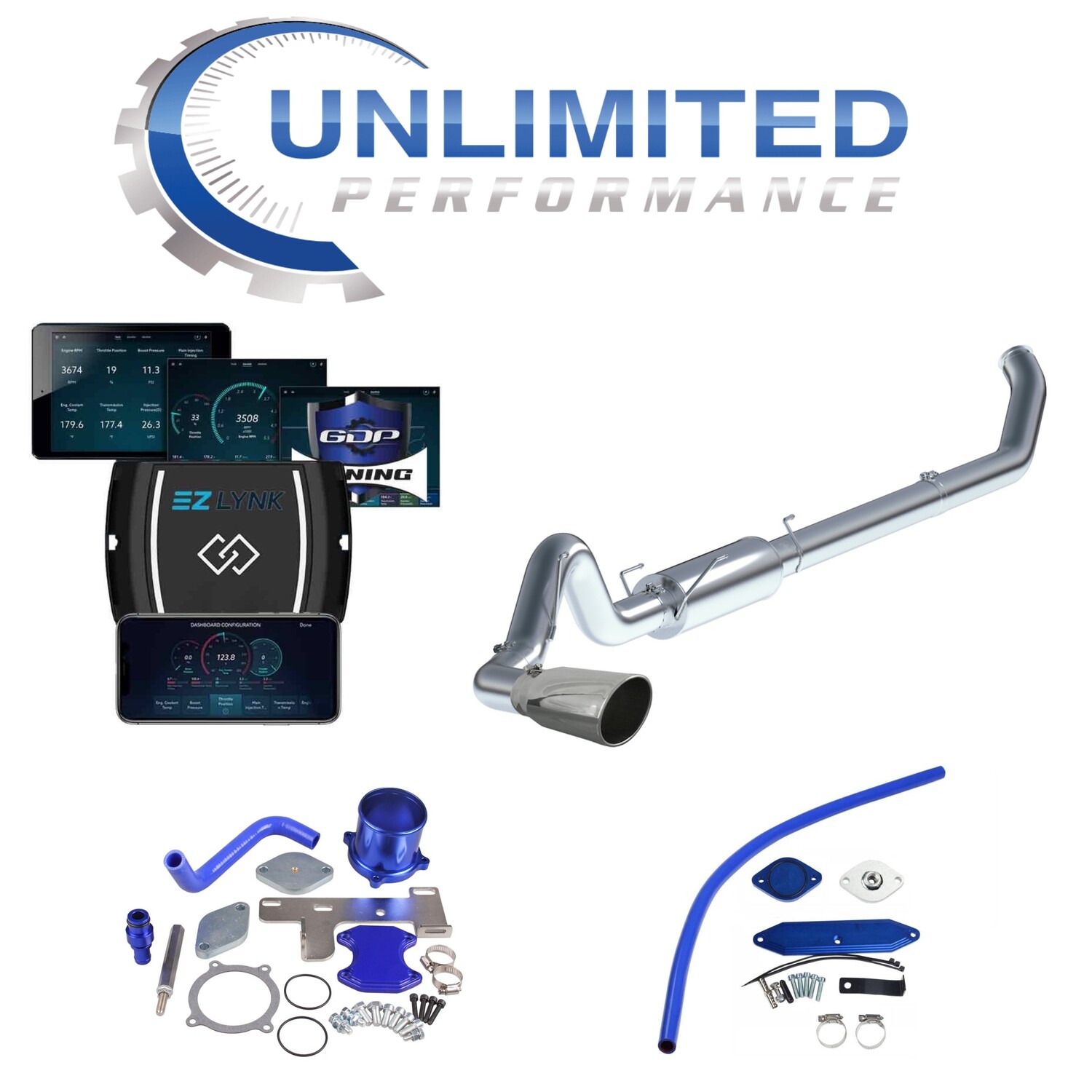
Power Levels: 0hp up to 200hp+ Depending on truck and modifications.
Includes rotary switch to change power levels on the fly.
Unlock cable - Includes required unlock cable for 2018+ Cummins or Nissan pickup trucks.
INCLUDES DPF DELETE PIPE WITH OPTIONAL UPGRADE TO FULL EXHAUST IF NEEDED.
INCLUDES EGR DELETE KIT IF NEEDED.
Diesel Particulate Filter (DPF) - The EZ Lynk is a DPF delete capable tuner. The DPF must be removed when installing the EZ Lynk. DPF Delete Pipe.
Catalytic Converter (CAT) - We recommend doing a CAT delete at the same time as the DPF delete.
Diesel Oxidation Catalyst (DOC) - If equipped, the DOC can be deleted.
Selective Catalytic Reduction (SCR) - If equipped, the SCR can be deleted.
Exhaust Gas Recirculation (EGR) - The EZ Lynk Auto Agent 2.0 will de-activate the EGR system. The EGR valve & EGR cooler can remain installed but unplug from any wiring harness or can be completely removed with an EGR delete kit. We recommend completely removing the EGR system but either option is available.
Diesel Exhaust Fluid (DEF) - 2013+ trucks in stock form require DEF. This will no longer be required when installing an EZ Lynk. The DEF tank can be removed completely or the wiring harness can just be unplugged.
Diagnostic Trouble Codes / Check Engine Light - The EZ Lynk Auto Agent 2.0 will prevent any emission related DTC’s or check engine light from setting. However, if some other issue comes up you will still be alerted. DTC’s can be checked / cleared.
Fuel Mileage - Expect to see a significant fuel mileage gains. If your DPF is plugged up your probably averaging about 13-14 mpg. More or less depending on the severity of the restriction. After installing the EZ Lynk and deleting the DPF/CAT expect to get a combined mileage of 18-19 mpg. Larger tires and poor driving habits will skew mileage downward.
Return Policy - Since the EZ Lynk is VIN specific custom tuning, there are no returns or refunds.
. Custom programming may take up to 24-48 Hours To Build Tunes. Once your order has been submitted it cannot be cancelled.
Ez Lynk (JEEP & RAM ECODIESEL 3.0L & COLORADO / CANYON 2.8L INSTRUCTIONS)
OVERVIEW
- Flash Truck BEFORE installing any other parts
- Hook up a Battery Charger and set it to lowest charge
- Plug Auto Agent into your OBDII port
- Connect to AutoAgent via Wifi
- Connect to your Technician
- Go to ECU Profiles & Flash Your Tuning following the instructions below. (MUST READ INSTRUCTIONS OR WILL NOT FLASH TRUCK!)
Step 1: Buy a Ez Lynk Auto Agent 3.
- Most likely If you are receiving these instructions you either bought an Ez Lynk with 4 Week Support pack or Unlimited Support Pack or you bought just the support pack and you already have an Ez Lynk.
Step 2: Tune your truck before removing the hard parts.
- Make sure that you tune your truck before you even think about removing any parts. This way, if you have any trouble tuning your truck, you’re not dead in the water with a broken truck until Monday morning when we open back up.
Step 3: Hook up a battery charger.
- Before you start, grab your battery charger and hook it up to the truck, it doesn't matter if you have brand new high-end batteries and you just finished trickle charging them to 100%. If you don’t have a battery charger, get one and set it to a 10A charge. The new ECM’s are very sensitive to voltage and the flash can fail if the voltage drops too low.
Step 4: Download the EZ-Lynk App.
- Go to the App Store or the Google Play Store and download the EZ-Lynk Auto Agent App. Once the app has been downloaded and installed you can go ahead and make an account.
Step 5: Plug the EZ-Lynk into your OBDII .
- You’re ready to plug in the EZ-Lynk into your OBDII port under the dash. If you’re flashing a 18+ Cummins or 3.0L Jeep or Ram 1500 ecodiesel you will need to connect the Bypass Cable at the same time. It only needs to be plugged in while you flash your tunes, however, it doesn’t hurt to leave it plugged in. In that case, you can run it through the firewall of the truck.
Step 6: Connect to the Auto Agent.
- Open your WIFI Settings and connect to the Auto Agent via Wifi on your phone or tablet. Once you are connected you can open up the app, and the Auto Agent should detect your VIN number and recognize the connection.
- Go ahead and accept this, it will now ask you for a little bit of information on your truck, once completed, your tuning files will be manually added to your device once you let me know everything is linked up. (Please be aware you can generally just get files monday-friday during normal business hours, we try to be available for linking on weekends but cannot guarantee this) You’ll start to get push notifications as each file comes through into your account.